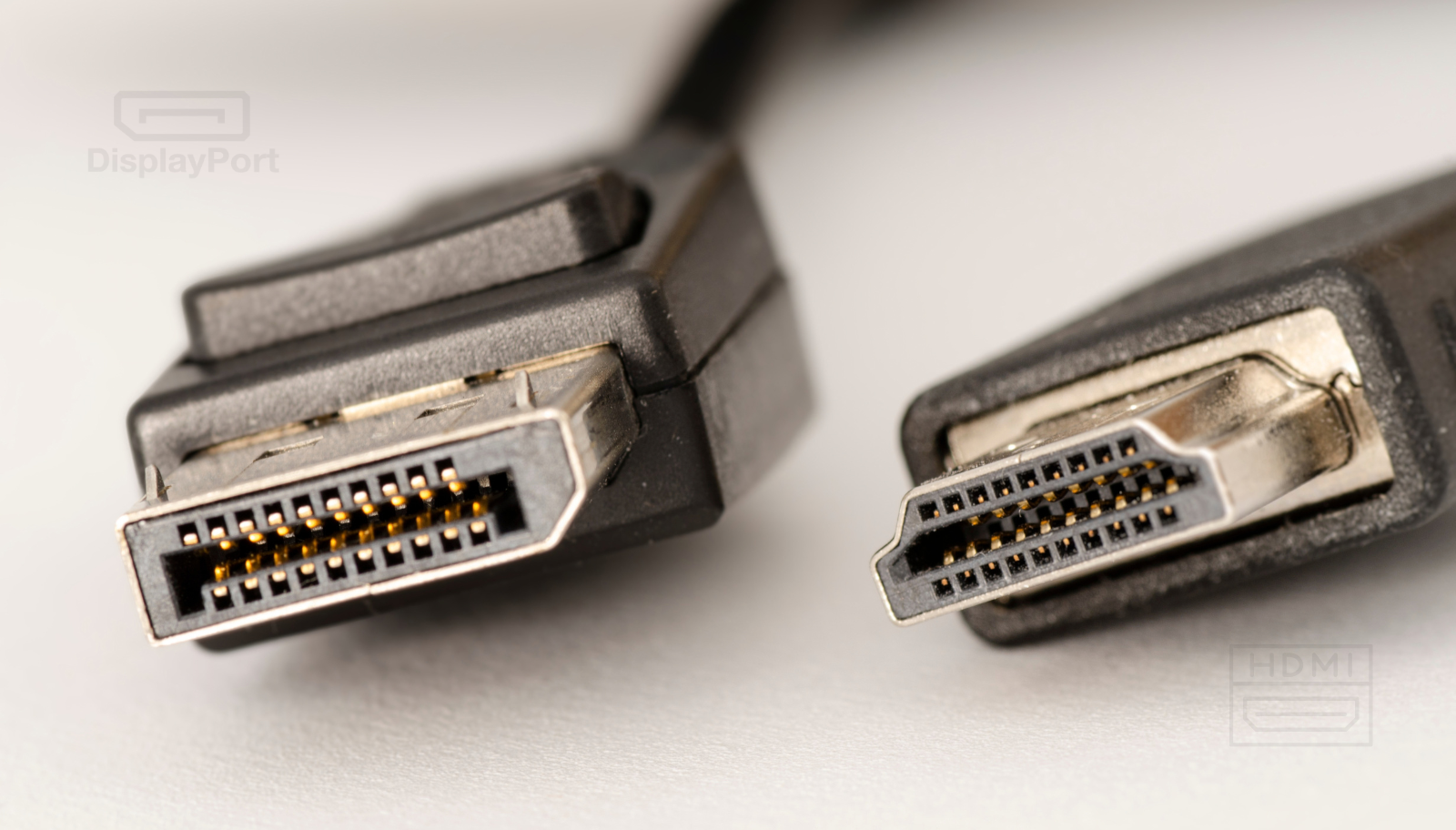
DisplayPort or HDMI? Which connection to choose?
DisplayPort or HDMI? It’s one of the most common questions when choosing a monitor, video card, TV, or laptop. Both standards can transmit high-quality video and audio, but there are important differences in bandwidth, resolution, refresh rate, compatibility, and available features.
In this guide, we compare DisplayPort vs HDMI and explain which connection is better suited for gaming, 4K monitors, TVs, and everyday use.
DisplayPort or HDMI: what’s the difference?
At a basic level, both DisplayPort and HDMI are digital interfaces used to transmit video and audio signals. The major difference is how they were developed and the scenarios they are optimized for.
HDMI is widely used in TVs, consoles, laptops, and multimedia devices. It is usually the standard choice for connecting a PC to a TV or a console to a TV.
DisplayPort is mostly found on PCs, video cards, and monitors. The standard is heavily geared towards computer use and offers useful features for multi-monitor setups and high refresh rates.
Therefore, there is no universal winner. The choice between DisplayPort and HDMI depends on the devices you want to connect and the specifications you want to use.
DisplayPort vs HDMI: comparison table
| Characteristic | DisplayPort | HDMI |
|---|---|---|
| Main use | PC, monitors, gaming | TV, consoles, PC, multimedia |
| Audio | Yes | Yes |
| Gaming PC | Excellent | Excellent |
| High refresh monitors | Very good | Very good |
| Multi-monitor | DisplayPort advantage | More limited |
| TV and consoles | Less used | HDMI advantage |
| Adaptive Sync | Yes, depending on version and device | Yes, especially via HDMI 2.1/VRR |
| 4K | Yes | Yes |
| 8K | Yes, depending on version | Yes, depending on version |
| Common connector | DisplayPort | HDMI |
Important: Actual performance is not determined by the connector type alone. It depends on the version of the standard implemented by both devices, the cable used, and the hardware configuration.
Which is better for gaming: DisplayPort or HDMI?
For a gaming PC, DisplayPort is often a very good choice, especially when using a high-resolution, high-refresh-rate monitor.
A major advantage is support for adaptive sync technologies and multi-monitor setups. In addition, video cards and PC monitors often offer multiple DisplayPort ports.
If you have, for example, a 1440p monitor at 165Hz, a 1440p monitor at 240Hz, or a high-refresh 4K monitor, you need to check the DisplayPort version available on your graphics card and monitor. It’s not enough to see “DisplayPort” written on the box.
For gaming, the simple rule is: PC + monitor → check DisplayPort first, then HDMI depending on the exact specifications.
HDMI has the advantage for console gaming
HDMI has an obvious advantage when talking about consoles and televisions .
Modern consoles use HDMI, and TVs are mostly equipped with HDMI ports. HDMI 2.1 in particular is important for gaming at high resolutions and refresh rates, offering features like 4K at high refresh rates and Variable Refresh Rate (VRR), when the devices and cable are compatible.
If you have a console connected to a TV, the choice is simple: HDMI is the right standard. For a PC connected to a TV, HDMI can also be the most practical solution.
DisplayPort or HDMI for 4K?
Both can support 4K resolution , but you need to check the version of the connection. An older HDMI cable or port doesn’t automatically offer the same capabilities as HDMI 2.1. Similarly, DisplayPort has several generations, with different capabilities.
For 4K, at least three elements must be analyzed:
- Desired resolution – 4K UHD, for example 3840 × 2160.
- Refresh rate – 60 Hz, 120 Hz, 144 Hz, etc.
- Color depth and signal format – these can influence the bandwidth required.
For example, 4K at 60 Hz has much lower requirements than 4K at 144 Hz. If you want to use a 4K monitor at high refresh, don’t buy the cable before checking the specifications of your video card and monitor.
What do you choose for a display with a 144 Hz refresh rate?
If the question is “DisplayPort or HDMI for 144 Hz?” , the correct answer is: it depends on the resolution and the port version .
At lower resolutions, both interfaces can support 144 Hz without any problems, if the standard version is powerful enough. As the resolution increases, so does the bandwidth requirement.
For a gaming monitor, always check the manufacturer’s specifications. Some monitors only offer the maximum refresh rate through a specific port.
Therefore, if a monitor is advertised as “144 Hz”, don’t automatically assume that you’ll get 144Hz through any port. The port used and its version matter.
DisplayPort vs HDMI for two or more monitors
DisplayPort has a significant advantage in multi-monitor configurations due to technologies developed for connecting multiple displays.
A relevant feature is DisplayPort Multi-Stream Transport (MST) , which can allow the use of multiple monitors over a single connection, depending on the hardware and configuration used.
HDMI can be used without problems for multiple monitors if the video card has enough outputs, but DisplayPort is generally more flexible in professional and desktop scenarios with multiple displays.
For a PC with two, three or more monitors, it is worth first checking how many DisplayPort and HDMI outputs the video card has and what resolutions and refresh rates it supports simultaneously.
Does the type of cable matter?
Yes. One of the most common reasons why users don’t get the resolution or refresh rate they want is using the wrong cable. A high-performance port can’t compensate for a cable that can’t transmit the required bandwidth.
When buying a cable, check its specifications and compatibility with your equipment. Avoid choosing solely based on price or general claims like “8K” or “gaming.”
Also, more expensive does not automatically mean more efficient . For a specific configuration, it is important that the cable specification is sufficient for the signal you want to transmit.
What to choose, DisplayPort or HDMI?
Both DisplayPort and HDMI are standards capable of delivering high-quality picture and sound. The real difference comes when we look at resolution, refresh rate, synchronization features, multi-monitor configurations, and device compatibility.
If you’re using a PC and a gaming monitor , DisplayPort is often the logical choice, especially for high-refresh monitors and complex setups. If you’re using a TV or console, HDMI is the natural choice and offers the necessary compatibility.