


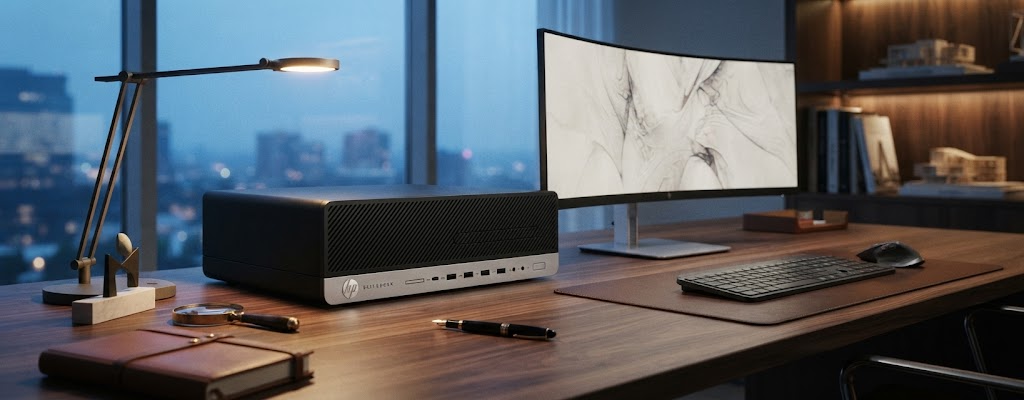
How to choose a refurbished PC for the office
Setting up a modern office doesn’t have to start with a large budget for IT equipment. If you need a computer for working from home, office activities, accounting, browsing the internet, or managing a business, a refurbished PC can be a practical solution to achieve the necessary performance at a more affordable cost.
Instead of investing your entire budget in a new computer, you can build a complete setup using refurbished PCs, monitors, and second-hand or refurbished peripherals, choosing each component based on the activities you perform.
Why is it worth choosing a refurbished PC for the office?
The main advantage of a refurbished computer is the price-to-performance ratio. For office activities, you don’t necessarily need the latest processor or a high-performance graphics card.
Documents, email, office applications, video conferencing, and internet browsing can be done very well with a properly configured refurbished business system.
The result? You can allocate a larger portion of your budget towards a good monitor, ergonomic peripherals, or other accessories you need in your daily activities.
How to choose the right refurbished PC?
Before choosing a computer, determine what you will actually do with it. The ideal specifications for an office PC are not the same as those needed for gaming, video editing, or 3D design.
If you use the computer for Office suite or similar applications, email, internet browsing, invoicing, and accounting, drafting and managing documents and spreadsheets, management applications, video conferencing, social media, and other administrative activities, a balanced configuration is usually sufficient.
A good starting point is an Intel Core i5 or AMD Ryzen 5 processor, 8-16 GB RAM, and SSD. For multitasking, the practical recommendation is to consider 16 GB RAM, especially if you work simultaneously with many applications and browser tabs.
SSD: an important criterion when choosing a refurbished PC
When comparing two refurbished computers, don’t just look at the processor. The type of storage can have a significant impact on the user experience. A PC equipped with an SSD can boot quickly and open applications and files more promptly than a similar system based solely on a traditional hard disk.
For a modern office, a 256 GB SSD may be sufficient for basic office use, while 512 GB or more offers additional space for documents and applications.
Mini PC, SFF, or classic desktop?
The size of the computer is another important criterion.
Refurbished Mini PC – for compact offices
A refurbished Mini PC is a very good choice if you have a small workspace. The reduced dimensions allow for more efficient organization of the office and keeping cables in a less visible area.

SFF systems – the balance between size and flexibility
A Small Form Factor (SFF) system can be an interesting alternative if you want a compact computer but prefer a format slightly larger than a Mini PC.

An All-in-One PC – fewer cables
If you want a clean and minimalist office, you might consider a refurbished All-in-One PC. In the case of an All-in-One, the computer components are integrated into the monitor’s casing, so you need fewer separate devices on your desk.

Don’t buy the cheapest refurbished PC. Buy the right configuration.
One of the most common compromises when setting up a budget office is to choose solely based on price. A better approach is to compare performance, configuration, and price.
For example, a very cheap PC with older hardware and HDD may not be the best choice if, for a reasonable difference, you can get a system with 16 GB RAM and SSD.
Complete the PC with a suitable monitor
A well-equipped office involves more than just purchasing a computer. If you work several hours a day at the PC, the monitor deserves to be treated as an important investment. For office activities, a Full HD monitor of 22-24 inches can be a good starting point.
If you work simultaneously with multiple documents, a second monitor can be more useful than investing in a much more powerful computer than you need.
For regular office activities, it is not mandatory to invest in a dedicated graphics card. For more desk space, you can opt for a Mini PC. If you prefer a setup with fewer cables, an All-in-One may be a more suitable solution.
If you need additional performance for professional applications, you can opt for a refurbished workstation, designed for demanding tasks such as design, photo-video editing, software development, or advanced data processing.
How to check a refurbished PC before buying?
When choosing a refurbished computer online, always check the complete specifications, paying attention to the model and generation of the processor, RAM memory, type and capacity of the SSD, number and types of ports, video outputs, included operating system, PC format, aesthetic condition, as well as warranty and return conditions.
It is important to compare products based on actual configuration and not just by the commercial name, as two PCs that appear similar may have different specifications.
Why choose refurbished equipment for multiple workstations?
For an entrepreneur or a small company, the advantage can become even more evident when multiple offices need to be set up.
If you need 5, 10, or more computers, the price difference between new and refurbished equipment can have a significant impact on the overall budget.
Additionally, by choosing similar configurations, for example, the same model of PC, the same amount of RAM, and the same type of SSD, you can simplify equipment management.
For companies that want to equip an office without allocating a very large budget for hardware, refurbished business computers can be an option to consider.
A high-performance office setup that is budget-friendly
By choosing a refurbished PC, you can obtain a suitable configuration for your activities and use the budget difference for a better monitor, peripherals, or other accessories.
For most office activities, a business configuration with Intel Core i5 or AMD Ryzen 5, 16 GB RAM, and SSD represents a very good starting point. If you have limited space, a Mini PC may be the right choice; if you want a minimalist office, you might consider an All-in-One; and for demanding applications, a refurbished workstation could be an interesting alternative.
Before buying, compare configurations and choose the PC based on what you truly need.


