A suitable laptop for students – practical guide
For a student, a laptop is not just a simple gadget, but an essential tool for classes, projects, exams, and extracurricular activities. Choosing a suitable laptop for students must be done differently than for a business laptop or one for remote work: the budget is limited, mobility is crucial, and long-term reliability matters more than top performance.
This guide helps you choose correctly, without paying extra for specifications you don’t need.
When is a laptop suitable for students
A laptop for students must meet three clear conditions:
- It must be affordable
- It must last 3 – 5 years of daily use
- It must be easy to carry.
Any wrong compromise in one of these areas leads to medium-term frustrations.
The budget needed for purchasing a suitable laptop for students
For most students, the budget is decisive. A good laptop for studies does not have to be expensive, but it must be well-balanced.
Realistic budget ranges:
- Low budget: for online courses, documents, browsing
- Medium budget: for multitasking, academic applications
- Higher budget: for architecture, IT, design, engineering.
It is important to invest in what matters and to avoid unnecessary payments for brand or premium design.
Processor – sufficient, not excessively powerful
Most students, of course there are exceptions, do not need top processors. Often, these increase the device’s price without providing real benefits in academic activities.
Recommended for students:
- An Intel Core i5 or AMD Ryzen 5 processor
- Intel Core i3 / Ryzen 3 processors are also acceptable for basic use
- Avoid very old processors or extremely low-end series.
A decent processor allows you to work smoothly with educational platforms, Office applications, and browsers.
RAM – the difference between “works” and “works well”
For students, RAM is more important than a very powerful processor.
Recommendation:
- Minimum 8GB RAM
- Ideal: laptop with a free slot for upgrade
- Avoid models locked at 4GB RAM (which do not support upgrade)
More RAM means fewer freezes during study sessions.
Storage unit – speed matters more than space
A laptop for students must start quickly and respond instantly.
Always choose:
- An SSD (not HDD)
- A storage capacity of at least 256 GB
- NVMe if the budget allows.
Documents, projects, and courses will load much faster than with a traditional HDD.
Weight, connectivity, and battery life of a suitable laptop for students
A heavy laptop quickly becomes a burden between classes. Mobility is a major advantage in student life.
What is ideal for students:
- A laptop weighing under 2 kg
- Real battery life of at least 6 hours
- Compact charger or USB-C
- Of course, WiFi and Bluetooth connectivity
- Possibly a built-in webcam for online classes.
- 3.5mm audio jack – still relevant for students using compatible headphones.
Keyboard and durability
Students write a lot: notes, papers, thesis works.
Look for:
- Comfortable keyboard
- Solid casing
- Durable hinges.
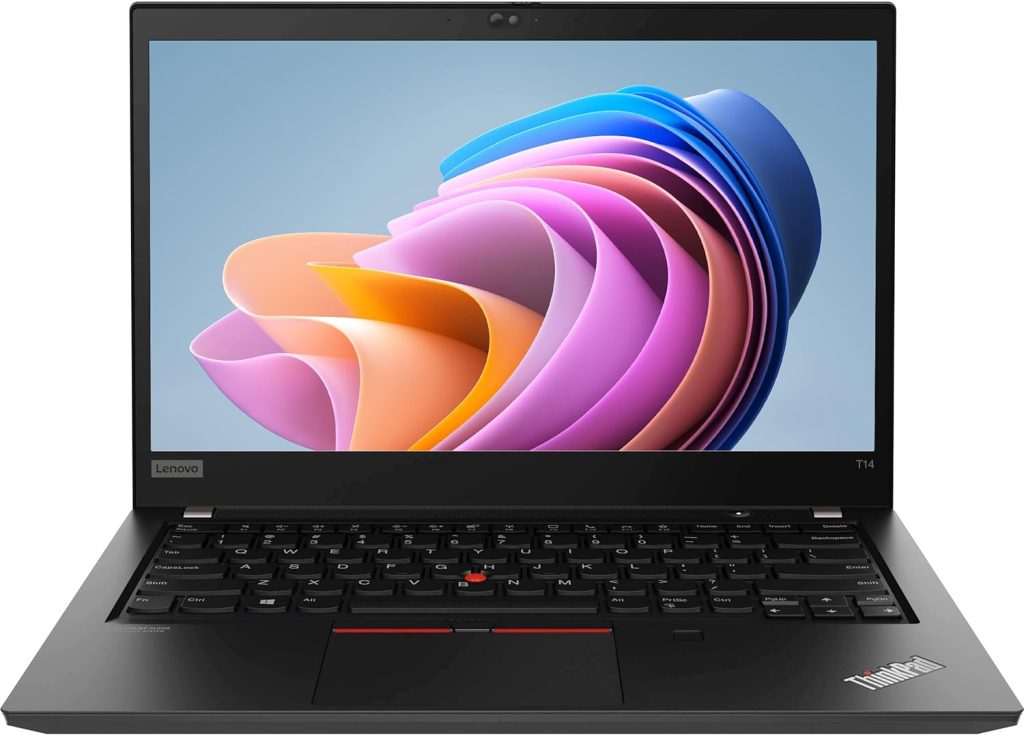
Business laptops (even second-hand) excel in this area.
New laptop vs second-hand
A second-hand or refurbished laptop can be the smartest choice for a student. It offers better specifications at the same price as a less powerful new laptop and, often, a sturdier construction. A second-hand business laptop is often superior to a very cheap new laptop.
Common mistakes made by students
- Choosing the cheapest model
- Ignoring RAM memory
- HDD instead of SSD
- Heavy laptop with low battery life
- Excessive spending for design reasons, not performance.
A suitable laptop for students does not have to be the newest model, nor the most powerful or the most expensive. If you choose a decent processor, at least 8 GB RAM, SSD, and a portable design, you will have a reliable partner throughout your college years.