The best LLM models in 2026 and how you can install them localy
AI models of the type LLM (Large Language Model) have rapidly evolved in recent years, and in 2026 there are numerous performant options, both commercial and open-source. Some models are optimized for programming, others for conversation, document analysis, or content generation.
A major advantage of many modern AI models is that they can be run locally on your own computer, without API costs or cloud dependency. In this article, you will discover the most performant open-source AI LLM models in 2026, as well as simple methods to install and use them locally.
What is an LLM
An LLM (Large Language Model) is an artificial intelligence model trained on very large amounts of text. These models can:
- generate text
- answer questions
- write code
- translate
- analyze documents
- summarize information
The performance of a model is influenced by several factors:
- the number of parameters
- the quality of training data
- architectural optimizations
- the inference mode (cloud or local)
In 2026, the differences between open-source and commercial models are becoming increasingly smaller.
The most performant open-source LLM models in 2026
Llama 3
Llama 3 is one of the most popular open-source models currently available. The model is developed by Meta and offers very good performance for:
- conversation
- content generation
- text analysis
- programming
Advantages:
- high performance for the model size
- very large community
- excellent support for local running
Versions with 8B and 70B parameters are the most used.
Mistral
Mistral is a model developed by the French company Mistral AI and is known for its efficiency. Although the models are relatively small, they offer very good performance compared to their size.
Advantages:
- very efficient on modest hardware
- fast inference
- ideal for local applications
Popular models include Mistral 7B and instruction-optimized variants.
DeepSeek
DeepSeek is one of the models that has attracted a lot of attention in recent years, especially for its performance in programming.
It is often compared with commercial models for tasks such as:
- code generation
- solving technical problems
- logical analysis
There are specialized variants such as DeepSeek Coder, optimized for developers.
Phi
Phi is a family of models developed by Microsoft.
These models are known for being very small, yet surprisingly capable.
Advantages:
- low memory consumption
- good performance for the model size
- ideal for running on laptops
Phi models are an excellent choice for local or embedded applications.
Gemma
Gemma is the family of open-source models launched by Google. These AI models are optimized for efficiency and can be run locally on relatively modest hardware.
Advantages:
- good optimization for inference
- support in the open-source ecosystem
- competitive performance
Qwen
Qwen is a family of LLM and multimodal open-source models developed by Alibaba Cloud.
Advantages:
- Text, image, and audio models
- Support for hundreds of languages
- Diverse options: from small models (0.6B) to dense variants and Mixture-of-Experts (over 300B parameters)
- Many open-weight variants for local running
Recommendations for local running:
- Qwen models with 8B or optimized (quantized) run on PCs with 16–32GB RAM
- Large models (>30B) require a powerful GPU and optimization.
How to choose an LLM model
Choosing the model depends on the purpose of use.
| Purpose | Recommended models |
|---|---|
| Content creation | Llama, Mistral, Gemma, Qwen |
| Programming | DeepSeek, Phi, Llama, GPT OSS |
| Running on modest hardware | Phi, Mistral 7B, Qwen 8B quantized |
How to run these AI models locally
One of the most interesting aspects of modern AI models is that many can be run directly on personal computers.
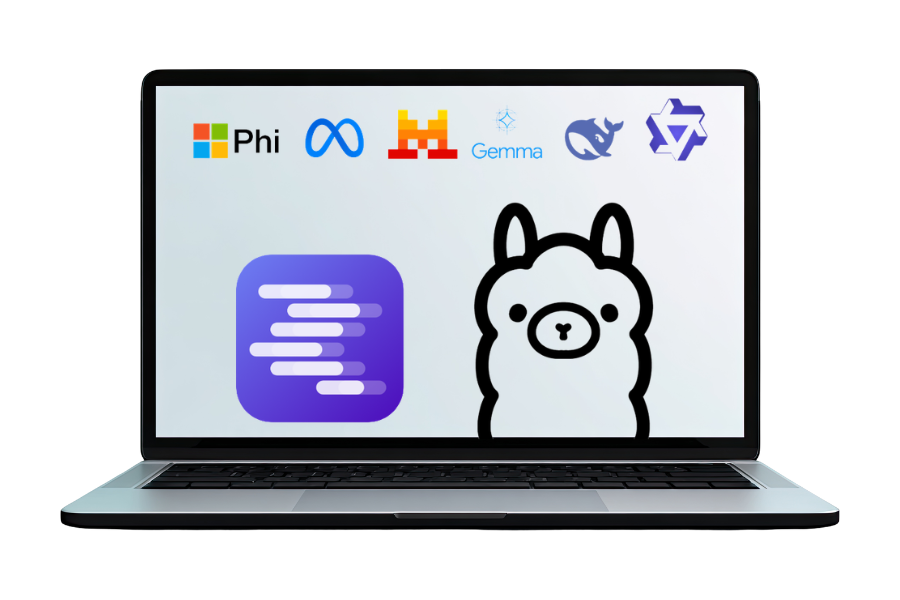
For example, a laptop with a modern CPU (Intel i5 / Ryzen 5), 16GB RAM, and about 20GB of free space on SSD can already run AI models of approximately 7 billion parameters if optimized through quantization techniques.
Popular interfaces for local LLM running
There are a few applications that greatly simplify the installation of models.
LM Studio
LM Studio is one of the simplest applications for running LLM models locally.
Main features:
- simple graphical interface
- integrated model browser
- chat similar to ChatGPT
- local API server
The process is very simple:
- install the application
- download a model
- start using the AI chat
Ollama
Ollama is a very popular platform for running LLMs on PC.
It is especially preferred by developers as it allows for quick integration into applications.
A simple usage example:
ollama run llama3
The command downloads the model and starts an AI chat session directly in the terminal. The platform also has an intuitive graphical interface available: Ollama-Gui.
Hardware requirements for running LLM locally
Recommended minimum configuration:
- CPU: modern (Intel i5 / Ryzen 5)
- RAM: 16GB DDR4
- SSD storage drive
- free disk space: 20–50GB
For larger models:
- 32GB RAM for models with 13 billion parameters
- Dedicated GPU for much faster generation
Quantized versions (4-bit or 8-bit) are preferred for running on regular hardware.
Excellent performance for a variety of applications
In 2026 there are numerous performant AI LLM models, and the difference between open-source and commercial models is constantly decreasing. Models like Llama, Mistral, DeepSeek, Phi, Qwen, and Gemma offer excellent performance for a variety of applications.
Additionally, thanks to modern tools like LM Studio or Ollama, these models can be run locally on a regular computer without expensive infrastructure.
As hardware becomes more powerful and models more efficient, local AI will become a standard component for developers, companies, and content creators.