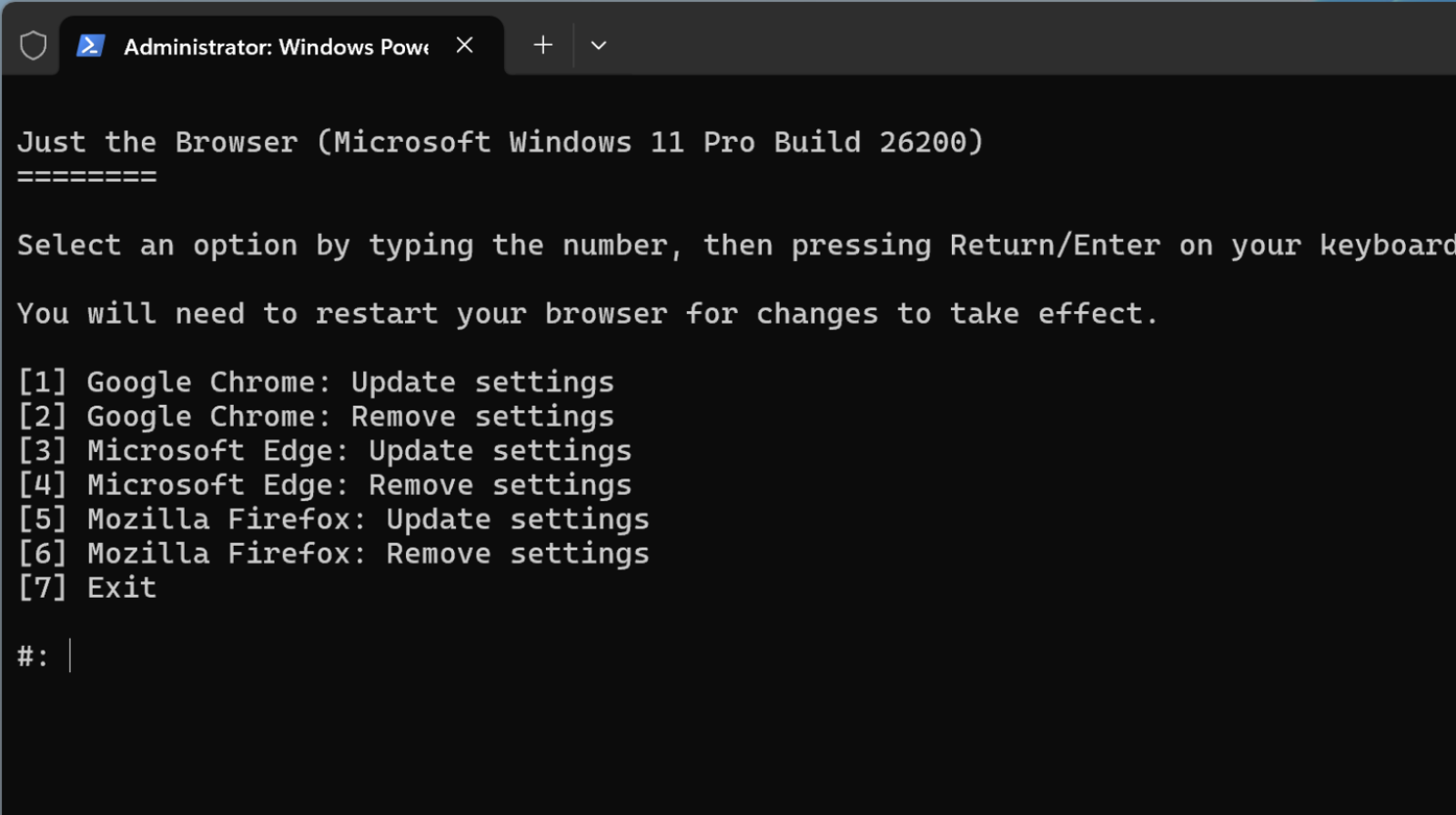
Just The Browser – a tool that sanitizes modern browsers
In the current context, where desktop browsers have become complex platforms, loaded with AI features, commercial integrations, and data collection mechanisms, more and more users are looking for solutions for cleaner and more controlled browsing. Just The Browser is an open-source tool that responds to this need, offering the possibility to “sanitize” modern browsers such as Google Chrome, Microsoft Edge, or Mozilla Firefox, by eliminating unnecessary components and strictly keeping the essential functionalities for web browsing.
What is Just The Browser?
Just The Browser is an open-source project designed to remove unwanted elements from popular desktop web browsers, such as Google Chrome, Microsoft Edge, and Mozilla Firefox. Its main goal is to provide users with a clean browsing environment, free of features and components that many consider unnecessary or intrusive.
The tool is based on configuration files and managed policies, which use hidden browser settings, initially intended for managing computers in organizational networks. These policies allow for profound changes without altering the browser’s source code. This means that the script does not install external applications or modules, but only adjusts the browser’s internal behavior.
Why use Just The Browser?
Modern browsers include more and more built-in, often unwanted, features that are included “in the package” without asking for users’ consent:
- Integrated AI assistants and smart tools based on artificial intelligence.
- Telemetry and usage data collection.
- Sponsored content or recommendations on the new tab page.
- Commercial integrations (shopping, app suggestions, etc.).
- Persistent messages urging you to change your default browser or import data from other browsers.
For users concerned about privacy or those who prefer a browser without distracting elements, Just The Browser offers a simple way to get rid of such functionalities, while maintaining the basic capabilities and security offered by the main browser engines.
How does it work?
Just The Browser includes two main installation methods:
- Automated script: an easy-to-run script on Windows, macOS, or Linux, which automatically applies the desired settings with a single command.
- Manual installation: for advanced users, there is detailed documentation explaining how to manually configure the policy files for each browser.
On Windows, users can run the script from a PowerShell prompt with administrator privileges, and on macOS or Linux, a similar Bash script is used.
What specific changes does it make?
JustTheBrowser applies policies that:
- Disable most integrated AI features (with specific exceptions, such as page translation in Firefox).
- Remove shopping features and price tracking or promotions.
- Hide sponsored content from main or opening pages.
- Reduce or stop telemetry collection, although error reporting may remain active when separated as an option.
- Prevent the browser from starting at system boot or forcing default settings.
These settings are applied through “managed” policies, which may cause the browser to display messages such as “your browser is managed by your organization”, but this is a normal consequence of applying policies and does not indicate malicious behavior.
Advantages and aspects to consider
Main advantages:
- Cleaner and simpler browsing experience.
- Increased control over browser functions without third-party extensions.
- Open-source project, with full code transparency.
Aspects to consider:
- Using managed policies may seem more technical for non-technical users.
- It is not an adware or malware blocking tool, but a set of official configurations.
A free browsing experience
Just The Browser represents a modern technical solution for those who want a browsing experience free of unnecessary fragments, excessive data collection, or integrated commercial functions. Being open-source and based on official settings supported by browser developers, the script offers a balance between simplicity and advanced control. For users concerned about privacy and performance, this tool is worth exploring in depth.
More information about this tool and installation methods on the official page justthebrowser.com or the github page.